Instagram Reels Downloader & Reels Saver
Fast & Free Tool for Instagram Reels Download in 1080p Full HD with Original Sound • No Watermark
Fast & Free Tool for Instagram Reels Download in 1080p Full HD with Original Sound • No Watermark
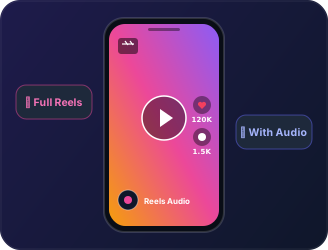
Arivers Instagram Reels Downloader is engineered specifically to help creators, curators, and social media enthusiasts perform instagram reels download in native 1080p Full HD without losing vertical aspect ratio or audio fidelity. When you download instagram reels using our tool, your video retains the original 320kbps stereo sound, crystal-clear 60fps frame rate, and remains 100% free of invasive watermarks or third-party logos.
Follow these simple steps to save any public Instagram Reel straight to your gallery in full resolution.

Open Instagram, find the Reel you want to save, tap the Share airplane icon, and select "Copy Link".

Paste the copied Reel URL into the input field above. The tool automatically detects the link and begins fetching the media.

Preview the Reel and click "Download Reel" to save the 1080p HD MP4 video with full sound directly to your phone or computer.
Engineered to bypass Instagram CDN token expirations, delivering lossless MP4 streams with zero compression artifacts.
Most online downloaders downscale vertical reels to 720p or 480p to save server bandwidth. Arivers preserves the original 1080x1920 pixel resolution uploaded by the creator, ensuring razor-sharp quality on OLED screens.
Download 1080p Reel
Music and voiceover are essential to viral Reels. Our instagram reels saver extracts the original uncompressed AAC audio track. You also have the option to extract the standalone MP3 audio file directly.
Extract Reel Audio
Common questions and troubleshooting answers for saving Instagram Reels.
To download an Instagram reel, simply copy the share URL from the Instagram app, paste it into the Arivers search box, and click Download. You will receive an instant direct link to save the clean 1080p MP4 video.
Yes! Every Reel downloaded through Arivers includes the complete stereo audio track, including voiceovers, licensed music, and sound effects.
On iOS Safari, tap Download Reel. When Safari prompts you, tap "Download". Open your Safari Downloads manager (the circle with down arrow in the address bar), tap the downloaded file, tap the Share icon, and select "Save Video" to transfer it directly to Apple Photos.
No. Arivers never modifies, compresses, or watermarks any video. You get the exact untouched file served by Instagram CDN.